Twitter Updates

    follow me on Twitter
    Showing posts with label Chrome. Show all posts
    Showing posts with label Chrome. Show all posts

    Tuesday, January 20, 2009

    Google chrome in Windows 7 x64

    image

    People using Windows 7 x64 edition would have noticed that Google Chrome keeps crashing. So try using %root_dir%\chrome.exe --in-process-plugins as the target in the shortcut. (refer screenshot)

    Changes to the launch parameters on the shortcut in the All Programs list are not reflected in the taskbar or start menu shortcuts. Chrome has to be unpinned and added again for those links to work properly or otherwise else it just loads up Chrome without the changes and it doesn't work.

    Sunday, September 7, 2008

    Google Chrome tweaks

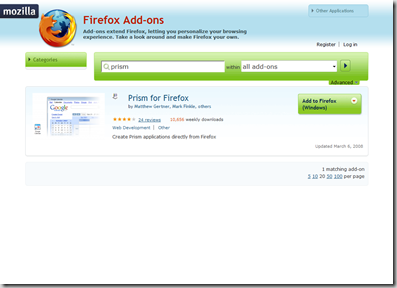
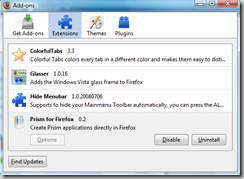
    Mozilla Firefox had initially created an addon for Firefox called Prism which creates a shortcut for any web application like GMail, Google Calendar, Live Mail etc on the desktop. When you double click on it, it will launch a stripped down version of its browser with no navigation controls or toolbars,thereby mimicking an offline application interface.
    image

    image

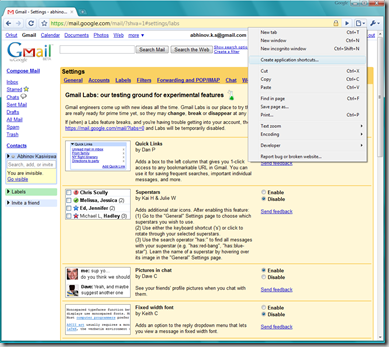
    A similar feature has been built into Google’s Chrome too. Click the button to the left of the of the settings button and select “Create Applications Shortcut”.
    image

    New Bitmap Image - Copy

    New Bitmap Image - Copy (2)

    This feature, however did not work for me on Windows 2008 x64 Server.But there is a simple workaround for this. On Vista, when we right click the application’s (say GMail) shortcut and view its properties, we can see that in the target option, there is a switch(parameter) after the file path. It has the syntax of the form

    %Chrome Install path%  --app=%Address%

    For example,for the GMail application, I have

    C:\Users\Abhinov\AppData\Local\Google\Chrome\Application\chrome.exe  --app=https://mail.google.com/mail

    You can make your own applications this way by simply modifying the Chrome shortcuts.

    Untitled

    Friday, September 5, 2008

    Google Chrome beta offline installer

    One problem with the chrome installer is that you have to connect to the internet every time you have to reinstall it.So here is the offline installer for Google chrome beta. Installation takes 2 – 3 seconds but it provides you very little customizations. The installer is 7.34 mb.


    image

    image

    image

    Wednesday, September 3, 2008

    Acid 3 on Google Chrome Beta

    Acid 3 on Chrome beta shows that it is better than most of the browsers except for Opera 9.52. Chrome scores 76/100 (Look in the archives for results of other browsers). Safari 4 Developer beta seems to have given 100/100 in Acid 3, though I have not verified it myself. Check this link out.

    http://mactip.blogspot.com/2008/06/safari-4-beta-scores-100100-on-acid3.html

    image

    image

    Sunday, August 31, 2008

    Acid 3 on various browsers

    Acid 3 is a test that checks how well  a browser follows standards especially related to DOM and JavaScript. This is how the reference rendering should be. If a browser passes Acid 3 , it should  display a gradually increasing percentage counter with colored rectangles in the background. The percentage displayed is based on the number of sub-tests passed. In addition to these the browser also has to render the page exactly like the reference page as rendered in the same browser. You can run Acid 3 by clicking on this link http://acid3.acidtests.org/. Note that consecutive tries may not give the same results at times.

    Reference Rendering

    image

    IE 8 Beta 2

    image

    image

    Mozilla Firefox 3.0

    image

    image

    Apple Safari 3.1

    image

    image

    Opera 9.52

    image

    image